
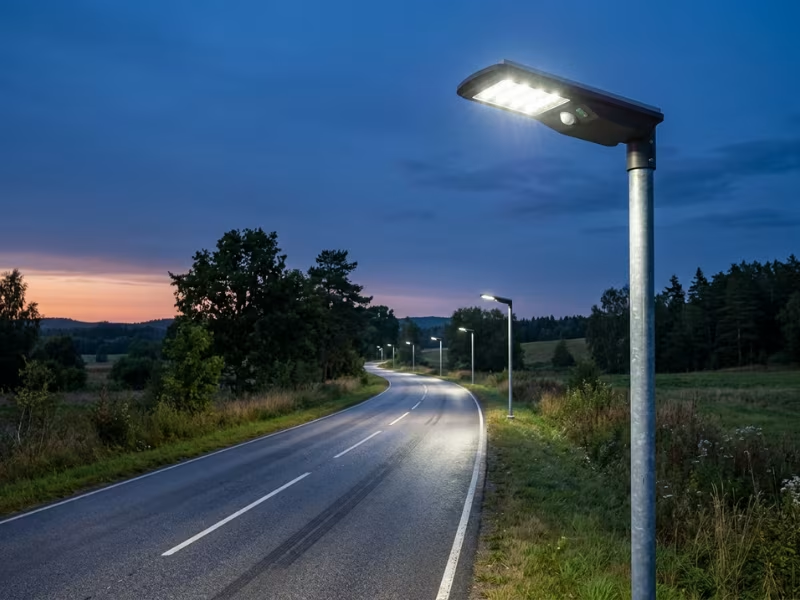
A solar street light that goes dark at 2 a.m. frustrates everyone. Residents feel unsafe. Property managers field complaints. And most people blame the battery first.
In most cases, solar street lights go dark early for one of four reasons: the battery runs out, the panel undercharges, the controller cuts power too soon, or the system was undersized from the start. Sensors, wiring faults, and temperature can account for the rest.
I have spent years troubleshooting solar street light sites across different climates and project types. This guide shows you how to read the symptoms, find the real cause, and fix it without wasting money on parts you don’t need.
Step 1: Match the Symptom to the Pattern
When a client calls me about a light that dies early, I don’t open the battery box first. I ask one question: when and how does it go dark? The answer usually points to the cause faster than any tool.
Match your light’s behavior to one of these four patterns.
It Turns On Fine, Then Dies After a Few Hours
This tells you the system ran out of stored energy. The battery may have lost capacity, the panel may not be refilling it fully each day, or the system never had enough capacity for the load in the first place.
Watch the timeline. If runtime shrank slowly over months, suspect an aging battery. If the light never lasted all night even when new, suspect the system design.
It Works After Sunny Days but Fails After Cloudy Weather
This light has no reserve. It lives on whatever the panel collected that day. The panel may charge too little, or the battery may lack the capacity to carry the light through two or three gray days.
This symptom often appears first in winter, when sun hours drop and nights grow longer.
It Shuts Off at the Same Time Every Night
A depleted battery doesn’t keep a schedule. A controller does.
If your light goes dark at 11 p.m. or 2 a.m. every night, check the timer mode or dimming profile before you buy any parts. Many suppliers ship lights with a preset program that doesn’t match site conditions.
It Flickers or Switches On and Off at Random
Random behavior usually points to a signal problem, not a storage problem. A dirty or failing photocell, a loose connector, or water inside the housing can confuse the controller.
Outside light sources can also cause this. A nearby billboard, passing headlights, or a security light shining onto the sensor can all trick the system into switching at the wrong time.
How a Healthy Solar Street Light Works
Before you chase a fault, picture what a healthy system does every 24 hours. I explain it to clients as a simple energy budget: the day earns it, and the night spends it.
During daylight, the solar panel converts sunlight into power and sends it to the battery. A well-designed system refills the battery fully on a normal sunny day.
The charge controller manages everything. It prevents the battery from overcharging. At night, it controls how much power flows to the LEDs. When battery voltage drops too low, it cuts the load to protect the battery from damage.
The photocell — or the panel voltage itself — acts as the system’s eyes. When light fades at dusk, it signals the controller to switch the LEDs on. At dawn, it turns them off again.
Each step depends on the one before it. A light goes dark before morning if:
- The panel collects too little energy
- The battery stores too little
- The controller cuts power too soon
- The wiring delivers power poorly
Most early shutoffs start at one of these four points.
The Most Common Reasons Solar Street Lights Turn Off at Night
Most early shutoffs trace back to seven causes. On the sites I visit, four of them — battery, charging, controller, and sizing — account for the majority of problems. So they receive the most attention here.
Use this table to narrow down the likely cause before you pick up a tool.
|
Symptom |
Most Likely Cause |
What to Check First |
|---|---|---|
|
Bright at dusk, dark by midnight |
Aging battery or undercharging |
Battery voltage the next morning |
|
Runtime shrinks slowly over months |
Battery capacity loss |
Battery age and capacity test |
|
Works after sunny days, fails after cloudy ones |
Weak charging or low battery reserve |
Panel shading, dust, and autonomy rating |
|
Turns off at the same time every night |
Controller timer or dimming profile |
Controller program settings |
|
Stays dim most of the night |
Aggressive dimming or motion-sensor mode |
Lighting profile and sensor mode |
|
Never lasted all night, even when new |
Undersized system |
Load vs. panel and battery math |
|
Flickers or switches at random |
Sensor, wiring, or water ingress |
Photocell, connectors, and seals |
|
Turns on during the day |
Panel signal lost or photocell failure |
Panel cable and connectors |
|
Problems only in winter or summer |
Temperature effects |
Battery chemistry and temperature rating |
Now let’s walk through each cause, starting with the one I see most often.
Cause #1: The Battery Is Old, Undercharged, or Failing
The battery does the hardest job in the system. It cycles every single night, sits outdoors year-round, and absorbs every mistake the rest of the system makes. That’s why it usually wears out first.
A gel or lead-acid battery often lasts only 2 to 3 years. A good LiFePO4 battery can run 5 to 8 years. Heat, deep discharges, and chronic undercharging shorten both.
Signs Your Battery Is Tired
A worn battery leaves clear clues:
- The light starts bright at dusk but goes dark by midnight
- Runtime drops gradually over months, not overnight
- One very sunny day improves things for a night or two, then runtime falls again
How to Confirm It
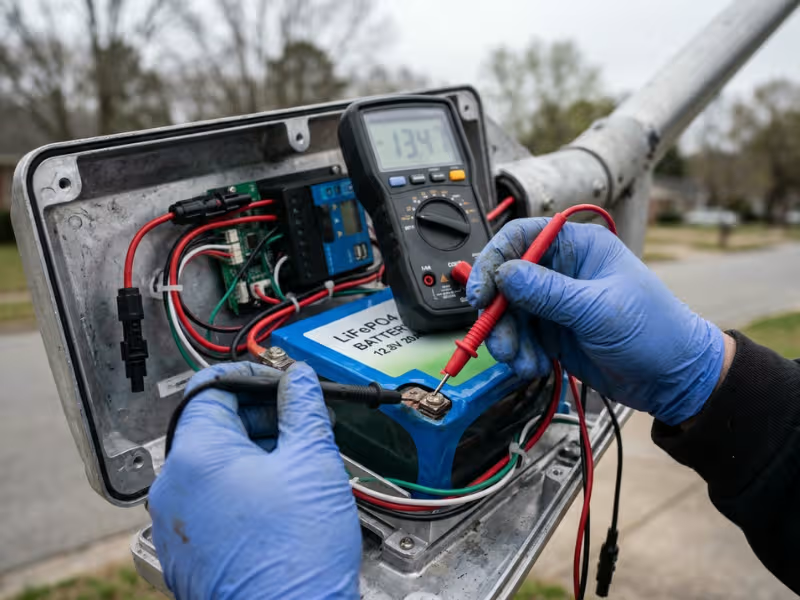
Check the battery voltage in the morning, before the panel starts charging. A 12.8V LiFePO4 pack that reads well below 12.8V at rest is running low.
Then check it again in the late afternoon after a full sunny day. If the voltage climbs fast and then collapses soon after dark, the battery has lost capacity. It fills up quickly because it no longer holds much.
If your controller logs data, review the charge and discharge history. It tells the story faster than a multimeter.
Replace It, or Fix the Charging First?
Replace the battery when its tested capacity falls below 70% to 80% of the rated value. Also replace it if it shows swelling, leaks, or corrosion.
But first, rule out charging problems. A healthy battery that never gets a full charge behaves exactly like a dead one. Swap it without fixing the charging side, and the new battery will fail the same way.
To help the next battery last longer:
- Choose LiFePO4 over lead-acid for most projects
- Size for at least 2 to 3 nights of autonomy, so the battery rarely drains deep
- Confirm the controller’s battery-type setting matches the battery you installed
Cause #2: The Solar Panel Is Not Charging Enough
A battery can only give back what the panel puts in. When charging falls short, the light runs on a partial tank every night.
The most common culprits are easy to miss from the ground:
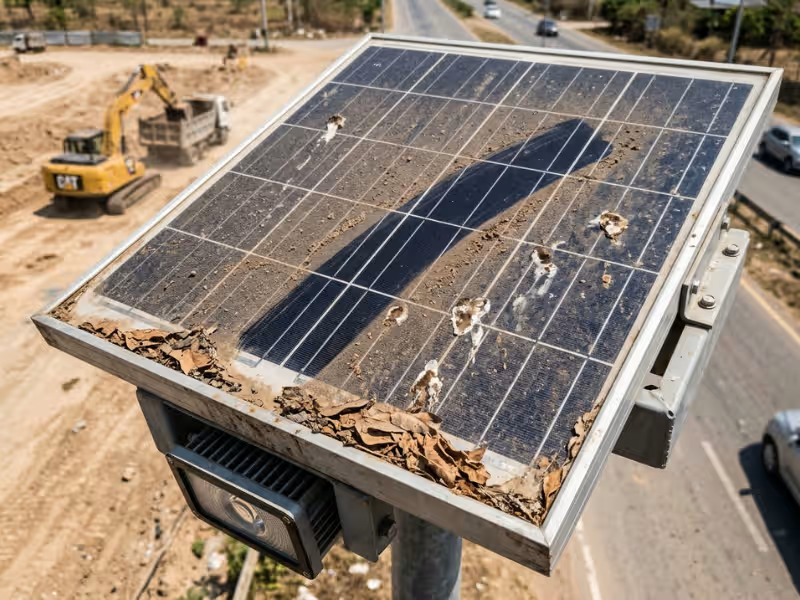
- Shading. A tree branch, a new building, or even the light’s own pole bracket can block part of the panel. Partial shade cuts output far more than most people expect.
- Dust and debris. Bird droppings, pollen, and road dust can reduce panel output by 15% to 25%. Near construction sites and highways, the loss gets worse. On dusty roads and desert-edge sites, a self-cleaning solar street light can help maintain more consistent charging performance without requiring frequent manual panel cleaning.
- Wrong orientation. In the Northern Hemisphere, the panel should face true south. In the Southern Hemisphere, true north.
- Poor tilt. A flat panel collects more dust and loses winter sun. Tilt it close to your latitude. For winter-critical sites, add 10° to 15°.
Why Winter Exposes the Problem
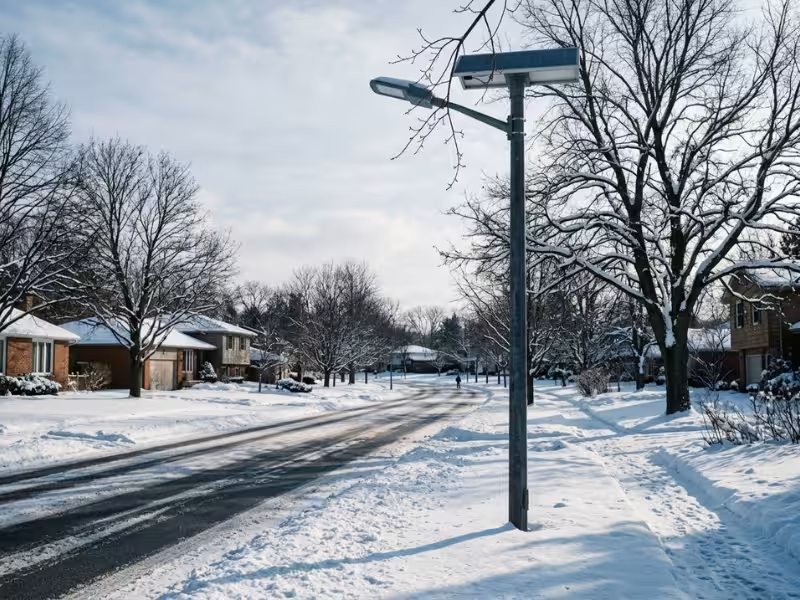
In summer, long days hide a weak panel. In winter, sun hours drop and nights can stretch past 13 hours. A panel that barely kept up in June falls short by December. A run of cloudy days makes it obvious.
How to Spot Undercharging On-Site
Visit around noon on a clear day. Use a lift or drone to check the panel surface from above. Then check the controller’s charging current or indicator light.
If the controller shows little or no charging in full sun, measure the panel’s open-circuit voltage. A reading close to the rated Voc means the panel is working and the problem sits in the cable or controller. A low reading points to the panel itself.
Practical Fixes
- Clean panels every 1 to 3 months on dusty sites
- Trim trees before spring growth, not after
- Re-aim or re-tilt panels that face the wrong direction
- Relocate fixtures that sit in permanent shade — cleaning alone won’t solve a positioning problem
Cause #3: The Charge Controller Is Misconfigured or Faulty
This is the cause people overlook most often. In my experience, many “faulty” lights have nothing broken at all. Someone programmed them incorrectly, or never adjusted the settings for the site.
Four Common Setting Errors
- Fixed-time mode. The controller runs the light for a set number of hours — such as 6 or 8 — then shuts it off, even if the battery still has plenty of charge.
- Aggressive dimming profile. Many lights run at 100% for the first few hours, then drop to 20% or 30%. From the street, that low level can look like the light is off.
- Misunderstood motion-sensor mode. The light idles at low power and brightens only when it detects movement. On quiet streets, owners often assume it has failed.
- Low-voltage cutoff set too high. If someone set the cutoff for a lead-acid battery on a LiFePO4 system, the controller cuts power while usable energy remains.
Check Settings Before You Blame Hardware
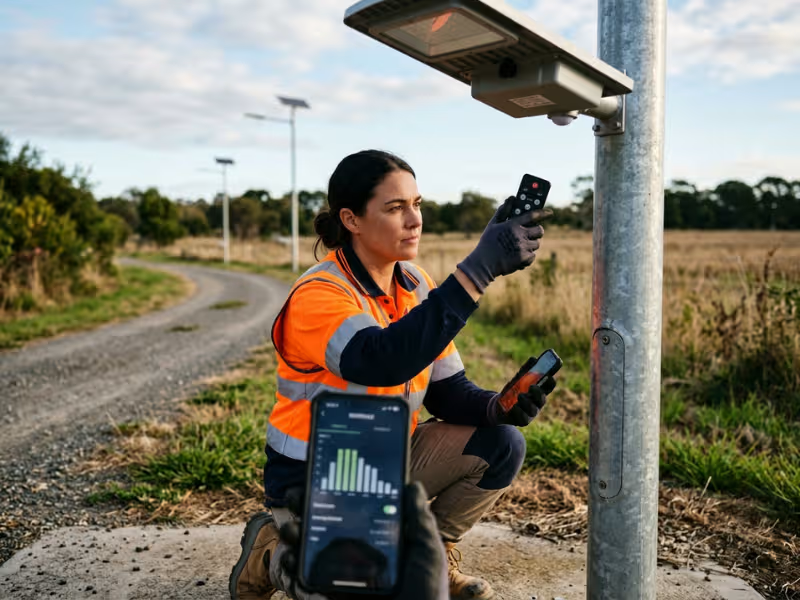
Use the remote, app, or programming tool that came with the light. Compare every setting with the manual and your project spec. Confirm the battery type, cutoff voltage, run time, and dimming steps.
When to Suspect Real Hardware Failure
- The controller shows a fault code that won’t clear
- It doesn’t respond to the remote or app
- The battery overcharges or never charges, even though the panel tests fine
- It shows burn marks, swelling, or a burnt smell
Reset or Replace?
Start with a factory reset and reprogram from scratch. That fixes most setting problems in minutes.
Replace the controller only if it still fails to regulate charging or keeps throwing errors. When you do replace it, choose an MPPT controller over PWM. MPPT harvests noticeably more energy, especially in cold weather and low light conditions.
Cause #4: The System Was Undersized From the Start
Some lights aren’t broken. They were built too small for the job. That’s a design problem, and no repair will fully solve it.
Three Common Undersizing Patterns
- The panel is too small for local sun hours. A spec sheet built for a sunny region won’t hold up at a northern site with 2 to 3 peak sun hours in winter.
- Battery autonomy is too low. The battery covers one night, maybe two. One cloudy stretch drains it.
- The LED wattage is too high for the energy budget. Buyers often request more brightness without upgrading the panel and battery to match.
Why It Often Hides Until Winter
Long summer days give a small panel enough time to refill the battery. Short nights ask little of it. The system looks fine for months. Then winter cuts the charging window and adds hours of darkness. The shortfall shows up all at once, and people assume something just broke.
How to Check the Math Yourself
Start with the nightly load. A 40W LED running 12 hours uses 480Wh per night.
- Panel check: If your site gets 2.5 peak sun hours in winter and you allow 25% for system losses, you need roughly a 250W panel to refill the battery in one day.
- Battery check: For 3 nights of autonomy, you need about 1,440Wh of usable storage. With a 12.8V LiFePO4 battery, that means roughly 130Ah.
If your light came with a 100W panel and a 40Ah battery, you’ve found your answer. No part has failed. The system simply can’t keep up.
Also check the lighting profile. Running at 100% all night can push a borderline system over the edge. Smarter dimming can sometimes buy enough headroom to get through the night.
Key rule: If the light never lasted all night even when new, suspect sizing before individual parts. Replacing the battery will only buy a few good weeks.
Cause #5: The Light Sensor or Photocell Is Being Tricked or Has Failed
The sensor tells the controller when night begins and ends. If it sends the wrong signal, the light switches at the wrong time.
Many all-in-one lights don’t use a separate photocell. They read the panel voltage instead. When panel voltage drops, the controller decides it’s dark. That design makes the panel itself the sensor.
Common Problems
- Dirt or obstruction. Grime, spider webs, or a misaligned bracket over the sensor can block ambient light.
- Aging. Photocells drift over time and can trigger at the wrong light level.
- Artificial light interference. Headlights, billboards, floodlights, or a neighboring streetlight can make the controller think dawn has arrived.
What Each Symptom Points To
- Turns on in daytime: often a loose or broken panel cable — the controller sees zero voltage and assumes night
- Shuts off randomly at night: usually stray light hitting the sensor or panel
- Flickers at dusk or dawn: the sensor sits near its switching threshold, or the delay setting is too short
Clean the sensor first. Then check the night scene for nearby light sources. If the problem continues, replace the photocell or increase the switch delay in the controller settings.
Cause #6: Loose Wiring, Corrosion, or Water Ingress
Outdoor lights live a rough life. Wind shakes the pole. Rain finds tiny gaps. Temperature swings make seals expand and contract. Over time, connections loosen and corrode.
This applies to both fixture types. Split-type systems have more exposed cable runs and connectors. All-in-one lights pack everything into one housing, so a single failed seal can reach the battery and controller at once.
Water ingress usually causes intermittent faults first. The light works on dry nights and fails after rain. Left unchecked, corrosion turns that into a permanent shutdown.
Visual Inspection Steps
- Check every connector, including MC4 plugs, for looseness or cracks
- Look for green or white corrosion on terminals
- Open the housing and check for water marks, rust, or condensation
- Inspect cable glands and gaskets for cracks or gaps
- Look for chewed cables, especially on rural or remote sites
- Tug each connection gently — a solid one shouldn’t move
Reseat loose connectors and clean light corrosion. Apply dielectric grease to protect the terminals. Replace any cable or terminal showing heavy corrosion.
If you find water inside the controller or battery compartment, take that fixture out of service. Water-damaged controllers and batteries are rarely reliable after exposure. Replace them, fix the seal, and look for an IP65 or IP66 rating on any replacement parts.
Cause #7: Extreme Heat or Cold Is Reducing Runtime
Temperature doesn’t break a light outright. It quietly reduces what the battery can deliver.
Cold reduces available capacity. A battery at -10°C (14°F) can deliver significantly less energy than it does at room temperature. LiFePO4 batteries should not charge below 0°C (32°F). Without low-temperature protection, they either skip charging or suffer damage.
Heat speeds up aging. Batteries in hot climates lose capacity faster. In all-in-one lights, the battery often sits directly behind the panel, where summer heat builds up.
That’s why these problems look seasonal. The light runs fine in spring and fall, then fails every winter or every hot summer. Many owners treat each episode as a new fault. The underlying cause stays the same.
Site conditions — climate, humidity, temperature swings — have a direct impact on how a system should be engineered. The solar street light project in Tanzania is a good example of how thermal management, battery protection, and panel sizing all need to adapt to local conditions.
How to Address Temperature-Related Failures
- Choose LiFePO4 with a built-in battery management system and low-temperature charging protection
- In very cold regions, consider self-heating battery models
- Check the battery’s operating temperature range against your local record lows and highs
- In hot regions, select housings with good ventilation and heat dissipation
- For split-type systems, mount the battery in shade or bury it in a ground box to stabilize its temperature
A Practical Troubleshooting Order
When a light dies early, most people want to swap the battery and move on. I’ve watched crews do this many times, and the light goes dark again a few weeks later.
Don’t replace the battery just because the light turns off early. The real cause often sits in the charging side or the controller settings.
Follow this order instead. It puts the fastest checks and most likely causes first, so you spend less time guessing and less money on parts you don’t need.
1. One Light or the Whole Site?
If every fixture fails, look at what they share: the same spec, the same program, or a stretch of cloudy weather. If only one fails, focus on that pole’s location and hardware.
2. Read the Runtime Pattern
How runtime changes over time tells you more than any single reading:
- Sudden drop → wiring, controller, or hardware fault
- Gradual drop over months → battery aging
- Worse after cloudy days → charging problem
- Shuts off at the same time every night → timer setting
3. Inspect the Panel
Look for shade, dust, and wrong orientation. This check takes minutes and costs nothing.
4. Test the Battery
Take a voltage reading in the morning, before charging starts. Compare it with the battery’s age and rated capacity.
5. Review the Controller
Check the program, battery type, cutoff voltage, and any error codes. A factory reset and fresh program often solve the problem on the spot.
6. Watch the Sensor at Dusk
Stay through one switch-on. Note any flicker, delay, or stray light hitting the panel or photocell.
7. Check Wiring and Seals Last
Open the housing. Look for loose connectors, corrosion, and water marks. This step takes the most effort, so save it until the simpler checks come up clean.
Write down your readings and dates at each step. A simple log helps you spot repeat faults across a site and makes warranty claims much easier.
When to Repair and When to Replace
Once you know the cause, the next question is practical: do you fix this light or start over? Judge the whole fixture, not just the failed part.
A three-year-old light with a bad controller is an easy repair. A seven-year-old light with worn-out parts throughout is a different calculation.
|
Situation |
Repair Makes Sense |
Replacement Makes More Sense |
|---|---|---|
|
Failed parts |
One part, such as the battery or controller |
Battery, controller, seals, and wiring all aging together |
|
Overall condition |
Housing, panel, and LEDs in good shape |
Cracked housing, yellowed lens, or degraded panel |
|
Operating history |
Only a few years in service |
Near the end of its expected lifespan |
|
Root cause |
Clear and confirmed |
Unclear, or keeps coming back |
|
Runtime after repair |
Back to full nights |
Still dark before dawn after repeated fixes |
|
System design |
Sized correctly for the site |
Undersized from day one |
Pay close attention to the design row. If the system was undersized from the start, a new battery only buys a few good weeks. The panel can’t refill it, so the light starts going dark early again.
The real fix is a design upgrade — a bigger panel, more battery capacity, lower LED wattage, or a new fixture properly sized for your winter sun hours.
One practical rule I give maintenance teams: if you’ve repaired the same pole twice in a year, get a replacement quote before the third visit.
How to Prevent Solar Street Lights From Shutting Off Early
Most early shutoffs start at the planning stage. A few smart choices keep lights running all night for years.
Size the system for your worst month, not your best. Ask the supplier for a sizing calculation based on December sun hours (June in the Southern Hemisphere) and your longest nights. If the spec sheet only quotes summer performance, push back.
Build in reserve for bad weather. At least 3 nights of autonomy works for most sites. Sites with frequent extended overcast periods need 4 to 5. That buffer also keeps the battery from draining deep, which extends its life.
Spend money where it counts. A LiFePO4 battery with a built-in BMS and an MPPT controller cost more upfront. They also hold capacity longer and harvest more energy on short winter days.
Walk the site before you install. Check every pole position for trees, buildings, and signs that may cast shade in winter, when the sun sits lower in the sky. Trees also grow.
Put maintenance on the calendar. Clean panels every 1 to 3 months on dusty sites. Before winter, check battery voltage, controller settings, and seals on every fixture. A one-hour check in autumn is far easier than managing a dark street in January.
FAQs
Why does my solar street light turn off after only a few hours?
The battery runs out of stored energy before dawn. The three most common causes are an aging battery, a panel that can’t refill it each day, or a system that was too small for the load from the start.
Check the timing first. If the light shuts off at the exact same hour every night, the controller’s timer mode is the likely cause — not the battery.
How long should a solar street light stay on at night?
A well-sized light should run from dusk to dawn — typically 10 to 14 hours, depending on the season and your latitude.
Many lights dim to 20%–50% after midnight to conserve energy. That’s normal and expected. Going completely dark before sunrise is not.
How do I know if the battery is bad?
Look for these signs:
- Runtime shrinks slowly over several months
- The light starts bright but goes dark by midnight
- Voltage climbs fast during the day, then drops soon after dark
- The casing swells, leaks, or shows corrosion on the terminals
Measure resting voltage early in the morning before charging starts. If a capacity test shows less than 70%–80% of the rated capacity, replace the battery. But rule out weak charging first — a healthy battery that never fills up behaves exactly like a dead one.
Can cloudy weather cause solar street lights to shut off early?
Yes. Heavy overcast can cut panel output to a fraction of its clear-day level.
A well-designed system carries at least 3 nights of battery autonomy to ride out gray spells. If your light fails after just one or two cloudy days, either the battery reserve is too small or the panel can’t keep up with winter demand.
Can I replace the battery myself?
Often yes, if you can work safely at height and handle DC wiring. Follow these steps:
- Match the voltage and battery chemistry — choose the same or higher capacity
- Follow the manual’s connection order — most controllers need the battery connected before the panel
- Update the controller’s battery-type setting if you switch from lead-acid to LiFePO4
- Reseal the housing and check every gasket before closing it up
For tall poles, hire a crew with a bucket truck. Check your warranty terms first — some suppliers void coverage if you open the fixture yourself.
Conclusion
A solar street light that goes dark before dawn rarely has just one broken part. In most cases, one link in the chain has fallen behind: charging, storage, control, or load matching.
That’s why reading the symptoms first matters. Note when the light fails and how its runtime changes over time. Then check components in a logical order. This approach finds the real cause faster and avoids spending money on parts that aren’t the problem.
One more point to keep in mind: if the system was undersized from day one, no amount of repair will fully fix it. A new battery only buys time. The lasting fix starts at the design level — with a panel, battery, and load sized for your darkest winter nights.