
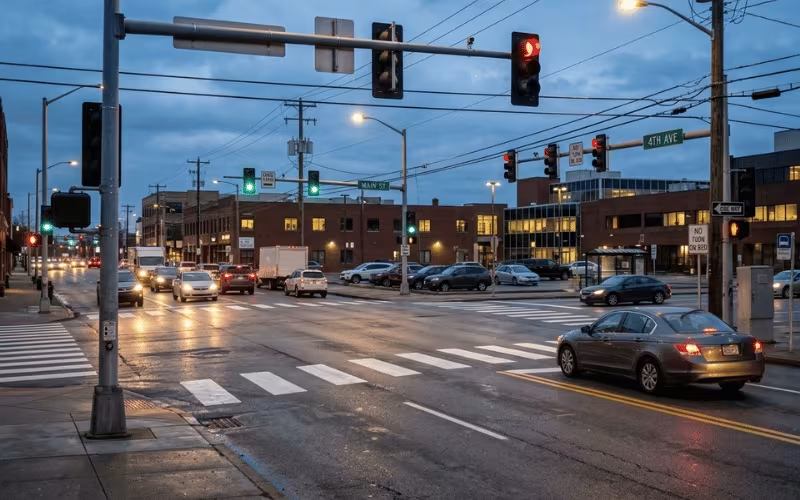
You drive up to an intersection, and the light changes almost the moment you arrive. Another day, you sit at a red light forever, watching an empty road. Why does that happen?
Why does the main road keep flowing while side streets wait and wait? And why does a signal sometimes seem to ignore your car, even when you are clearly sitting right there?
These moments are not random. Traffic signals are not just cycling through red, yellow, and green on a timer. Behind every change sits a system that detects traffic, makes decisions, sets timing, and coordinates with other intersections.
I have worked with traffic systems long enough to know that most frustration comes from not seeing what the system is actually trying to do.
You do not need to memorize technical terms to understand it. You just need to see how it balances safety, efficiency, and fairness. That is what this article will show you.
What a Traffic Signal Actually Does
Strip away the wiring and software, and a traffic signal does one thing: it decides who moves and who waits.
At any intersection, cars, trucks, buses, cyclists, and pedestrians all want the same patch of pavement. They can’t have it at the same time without crashing. The signal steps in and hands out the right-of-way in turns.
That’s the whole job. A signal allocates right-of-way between conflicting traffic flows.
The three jobs it handles
Once you see it that way, its real tasks become clear.
What a signal can’t fix
Here’s where a lot of frustration comes from. People expect signals to solve problems they were never built to solve.
A signal can’t erase congestion. If more cars arrive than the intersection can clear, they queue — light or no light. It also can’t rescue a poorly designed intersection, and it can’t keep every direction flowing fast at the same time. Giving one movement more green always means less for another.
How a Traffic Signal Knows Someone Is Waiting
A signal never guesses. It only responds to what its detectors tell it. When a car, bike, or person arrives, some device sends a message — called a “call” — to the controller. The type of detector decides how well that message gets through.
Let’s start with how signals sense vehicles.
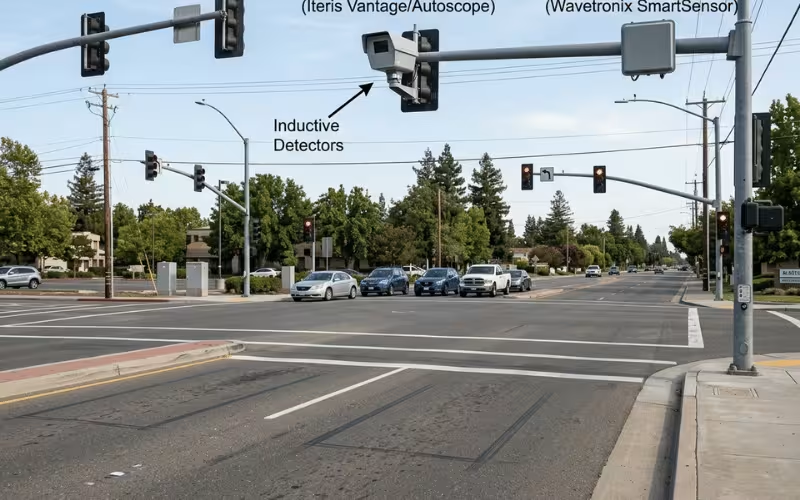
Vehicle detection
Most intersections rely on one of three methods, each with its own strengths and blind spots.
Inductive loop detectors are the classic option. They’re wire coils cut into the pavement. When a vehicle’s metal mass passes over the loop, it changes the coil’s electrical field, and the loop reports a car. Loops are reliable and cheap to run, which is why so many older intersections still use them.
But loops have a catch. They’re tuned for cars and trucks. A motorcycle or a bicycle carries far less metal, so it may not trip the loop at all. That’s why you sometimes stop at a red light and it simply won’t change — the loop never “saw” you.
Video detection uses cameras aimed at set zones on the approach. The system watches those zones and calls the controller when a vehicle enters. Video is flexible. You can move detection zones with software instead of cutting new pavement.
The trade-off is environmental. Video struggles at night, in low sun glare, and in heavy rain, snow, or fog. Anything that blocks the camera’s view — a large truck, shadows, dirt on the lens — can cause a missed or false call.
Radar and microwave detection sends out a beam and reads the reflection off approaching vehicles. No pavement cutting is needed, so it’s a favorite for upgrades and for intersections where digging isn’t practical. It also holds up better in bad weather than video.
Pedestrian and bicycle calls
Vehicles aren’t the only ones who need counting. People on foot and on bikes place their own calls.
Pedestrian pushbuttons are the most direct. Press the button, and it registers a walk request for the next matching phase. Keep in mind the button doesn’t jump the queue — it schedules your crossing into the cycle, so a short wait is normal.
Bicycles are trickier. Because they trip standard loops poorly, cities use a few fixes: loops tuned to catch a bike’s smaller mass, dedicated bike buttons at the curb, or video and radar set to recognize a rider.
One more distinction explains a lot of odd behavior. Presence detection knows something is sitting in the zone right now — useful for holding a call while a car waits. Pulse detection just notes that something passed and moves on. If a detector reads a pulse but loses the presence, the controller can hang onto a call that no longer exists.
That’s often why a side street gets a green with nobody there. A stuck or false call tells the controller someone is waiting, so it serves an empty approach.
What Happens After You Arrive at a Red Light
So the detector spots your car. Why don’t you get a green right away?
Because “someone is waiting” isn’t the same as “it’s your turn.” A whole sequence has to play out first. Let’s follow one car to see it.
Picture yourself rolling up to a red light on a quiet side street. The main road is flowing, and you’re the only car in your direction.
Step one: you enter the detection zone. Your front tires cross the loop, or the camera zone picks you up. Nothing changes on the display yet.
Step two: the detector sends a call. A call is just a message to the controller that says, “A car is waiting on this approach and wants service.”
Step three: the controller checks the current phase. The main road has the green right now, so the system asks whether that phase still needs time.
Step four: once minimum green, extension logic, yellow, all-red, and any pedestrian clearance are satisfied, your phase comes up.
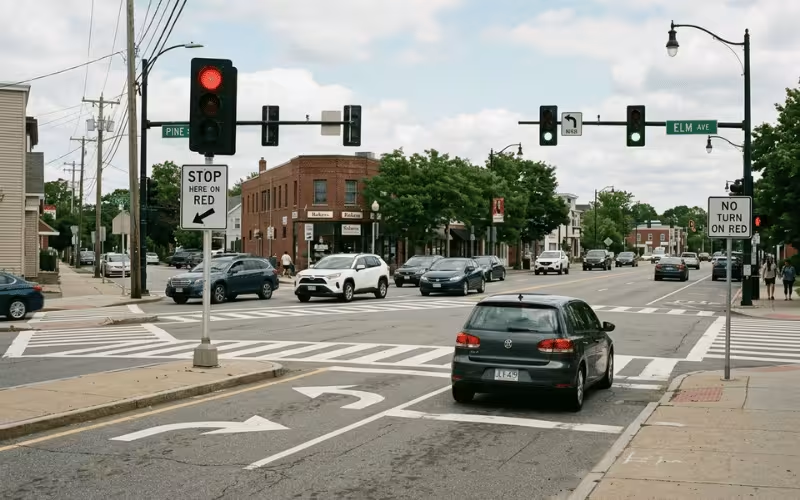
Why the signal won’t change the instant it sees you
The controller can’t yank the green away from the main road on a whim. Two rules hold it back.
Minimum green. Every phase has to stay green for a set minimum, no matter what. This stops the light from flickering between directions and rear-ending drivers who just started moving.
Green extension. As long as cars keep crossing the main-road detector within a short gap, the controller adds a little more green each time. Heavy, steady traffic keeps tripping that detector, so the green stretches on. You wait longer — not because the signal forgot you, but because it’s still serving a stream of vehicles that hasn’t broken.
When the gap finally opens up, the green “gaps out” and your turn moves closer.
Even then, you don’t jump straight to green. The main road gets a yellow so drivers can stop safely, then an all-red where every direction shows red at once. That clearance lets the last cars clear the box before you move. And if a pedestrian pushed the button on the main-road crossing, their walk needs a clearance interval too — which is why you sometimes wait even after traffic thins out.
The Timing Logic Behind Every Signal
Every red-light length feels like someone picked a random number. It isn’t random at all. Behind those numbers sits a tight set of rules that balance safety, clearance, and real demand.
You don’t need to master traffic engineering to read a signal correctly. You just need a few key terms.
Phase, cycle, and interval
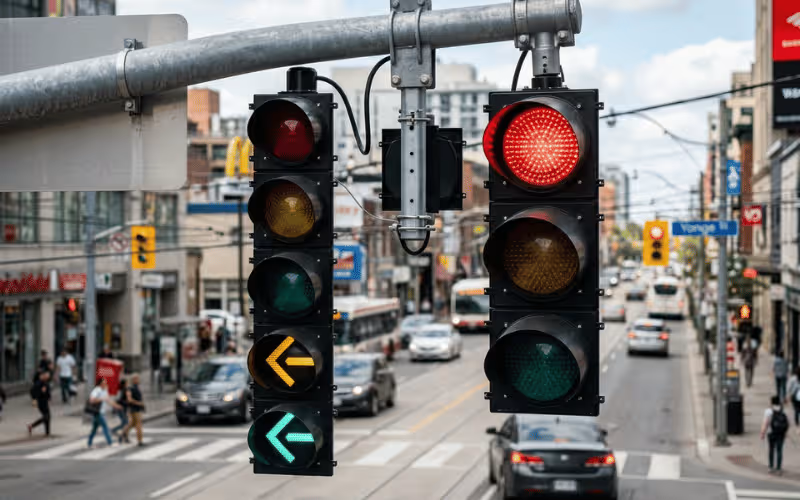
A phase is the group of traffic flows that move together. Northbound and southbound through-traffic often share one phase because they don’t conflict. A protected left turn gets its own phase because it does.
Cycle length is the time it takes to serve every phase once and return to the start. A quiet suburban intersection might run a 60-second cycle. A busy downtown corner might stretch to 120 seconds or more.
An interval is a time slice inside a phase — the green, the yellow, and the all-red. Each one has a job, and each one gets its own set duration.
Why green does not end the moment traffic thins out
You’ve watched a green stay on even after the last cars roll through. Here’s the logic behind that.
Minimum green guarantees each phase a floor of green time, so the signal never snaps between directions. Passage time, also called green extension, keeps the green alive as cars keep arriving — each vehicle that trips the detector within a short gap buys a little more green. Gap-out happens when that gap finally opens and no car crosses in time, so the green ends. Max-out is the ceiling: even with steady traffic, a phase must give way once it hits its maximum green, so no single direction starves the rest of the intersection.
Yellow and all-red are clearance time, not spare time
Drivers often treat yellow as a few bonus seconds to punch through. That misreads its purpose entirely.
Yellow gives drivers time to decide and stop safely. Its length ties to the approach speed — faster roads need longer yellows. It’s a warning, not an invitation.
All-red shows red in every direction at once. It gives the last vehicles time to clear the intersection box before cross-traffic gets a green. On a wide intersection, that clearance matters even more because cars have farther to travel.
There’s also the dilemma zone — that patch of road where a driver is too close to stop comfortably but too far to clear on yellow. Good yellow and all-red timing shrinks how often drivers land in that awkward spot.
So the length of any red or green isn’t guesswork. It’s a stack of rules working to clear the box, switch phases safely, and respond to who’s actually there.
Fixed-Time, Actuated, and Adaptive Signals: What’s the Difference?
Two intersections can look identical from the driver’s seat and behave nothing alike. One holds you at a red with empty cross-streets. Another seems to read the road and let you through. The difference usually comes down to control type.
There are three main kinds, and the real question isn’t which one is smartest. It’s how each one handles traffic that changes minute to minute.
Fixed-time signals
A fixed-time signal runs the same cycle over and over, no matter what’s actually on the road. The timing is set in advance — often with a few programs for morning rush, midday, and evening. The controller doesn’t watch for cars. It cycles through its phases on a clock.
That has a place. Fixed-time control works well where demand is heavy and predictable: dense downtown grids, tightly spaced corridors, and intersections that stay busy in every direction. When traffic is always there, waiting to detect it wastes time you don’t have.
The weakness shows the moment traffic drops. A fixed-time signal will happily give a green to an empty street while a line of cars waits on the other side. It can’t see the gap, so it can’t skip it.
Actuated signals
Actuated signals fix that blind spot by leaning on detection. This is the type most drivers meet every day, and it comes in two flavors.
Semi-actuated. The main road holds the green by default. The side streets and pedestrian crossings get detectors and buttons. When a car pulls up to the side street or someone presses the walk button, that call brings up their phase. Once it’s served, the green returns to the main road. This setup shines where a busy arterial crosses a quiet street.
Fully actuated. Every approach gets detection. No direction owns the green by default — each phase appears only when there’s demand, and it lasts only as long as cars keep arriving. This is where gap-out and max-out do their work. It’s a solid fit for typical suburban and city intersections where demand shifts through the day but doesn’t swing wildly.
Adaptive signal control
Adaptive control takes it a step further. Instead of just reacting to calls at one intersection, it adjusts timing across a corridor using live traffic data. The system pulls in counts and occupancy from detectors, then reworks cycle lengths, splits, and offsets on the fly — sometimes every few minutes.
I’ve seen adaptive systems earn their cost on arterials with unpredictable swings: routes near stadiums, shopping districts, or highways that dump traffic onto surface streets at odd hours. When the pattern won’t sit still, adaptive keeps up.
But it’s not a default answer. On a low-volume intersection, the gains are thin and rarely justify the hardware, communications, and upkeep. A few well-known platforms handle this — SCATS, SCOOT, and InSync among them. They differ in approach, but the goal is the same: match timing to conditions as they change.
Uses detection to serve phases on demand (semi- or fully actuated)Typical city and suburban intersections with shifting demandDepends on detector quality; missed calls cause problems
AdaptiveAdjusts timing across a corridor from live traffic dataHigh-variability arterials with unstable flowHigh cost and upkeep; little payoff on quiet roads
Why Some Roads Get a “Green Wave”
You’ve had that lucky run — you catch one green, then the next, then the next, and you sail through a whole string of lights without touching the brake. That’s no accident. Someone timed those signals to work together.
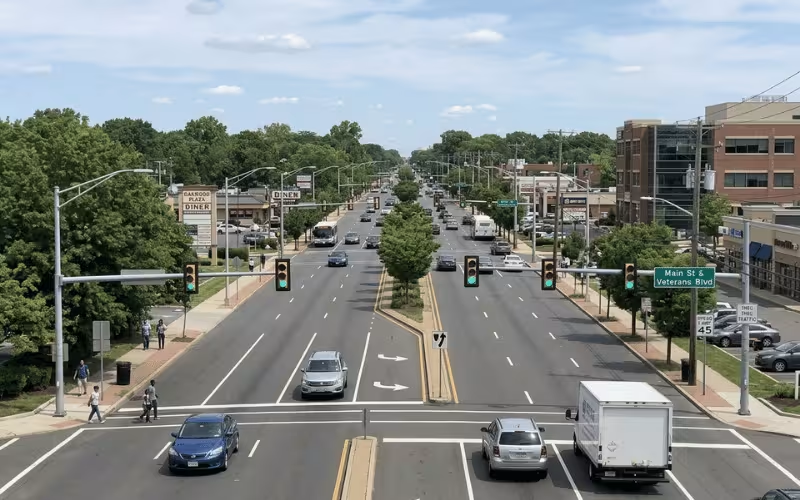
The trick is coordination, and it rests on two ideas: offset and progression.
Offset and progression
Offset is the time gap between when one signal turns green and when the next one down the road does. Instead of every light starting its green at the same moment, coordinated signals stagger their starts. The offset matches the time it takes a car to travel from one intersection to the next.
Progression is the payoff. When the offsets line up with a target travel speed, a car released from the first light arrives at each following light just as it turns green. The green “rolls” down the corridor ahead of the traffic, and drivers ride the wave.
What a green wave really means
A green wave isn’t a promise of endless greens. It works in one direction, at one target speed, during one time period. Drive faster than the design speed and you’ll outrun the wave — you’ll hit a red before the green catches up. Drive slower and you’ll fall behind it. Head the opposite way, or arrive at a different hour, and the timing may not favor you at all.
Engineers describe the size of the wave as bandwidth — the window of green time a platoon of cars can pass through as it moves along the corridor. A wider bandwidth lets more vehicles clear without stopping.
Here’s the catch. You can rarely give both directions a perfect wave at the same time. Favor a strong one-way progression — say, into downtown in the morning — and the reverse direction suffers. Try to balance both, and each one gets a narrower band. The choice usually follows the heaviest flow.
Side streets pay the biggest price. To hold the wave on the main road, the controller keeps the arterial green longer and delays cross-street service. That’s why a coordinated corridor often means noticeably longer waits when you’re trying to cross it.
The point holds: a green wave treats the whole corridor as one system, not a row of lights each doing its own thing.
How Pedestrian Signals Fit Into the System
It’s easy to think of the walk signal as a bolt-on feature — a button and a light tacked onto the corner. It isn’t. Every second a pedestrian needs to cross comes straight out of the intersection’s green time.
Walk, Flashing Don’t Walk, and Countdown
Three indications guide you across, and each one says something specific.
Walk means you can leave the curb and start crossing. Flashing Don’t Walk means don’t start a new crossing — but if you’re already in the road, keep going and finish. It’s the clearance phase, not a signal to freeze. The countdown timer shows exactly how many seconds remain in that flashing phase. Engineers set it to the crossing clearance time: how long a person walking at a normal pace needs to reach the far side. When the number hits zero, the parallel green ends.
And pressing the button? It doesn’t summon a walk right away. The button just files a request. Your crossing gets slotted into the cycle, so the controller can finish the current phase and its clearance first. A short wait is the system working as designed.
Accessible signals and leading pedestrian intervals
Not every pedestrian reads a lit display, and not every crossing benefits from sending people and cars at the same instant. Two tools address that.
Accessible Pedestrian Signals (APS) deliver the walk message without sight. They use audio cues, spoken messages, and vibrotactile arrows you can feel under your hand. A rider who can’t see the display still knows when to go and which direction to head.
Leading Pedestrian Intervals (LPI) give people a head start. Pedestrians get the walk a few seconds before the parallel traffic gets green. Those seconds put walkers well into the crosswalk and clearly in view before any car can turn. That head start cuts conflicts, since turning drivers arrive to find pedestrians already established in the crosswalk.
What You See on the Street: Key Parts of a Signal System
Look up at an intersection and you mostly notice the lights. But those colored lenses are only the visible tip of the system. The real work happens in gear you barely register — or never see at all.
Signal heads are the displays drivers watch: red, yellow, green, and arrows for turns. They’re the output end of the whole operation — they show a decision made somewhere else.
The controller cabinet is where that decision gets made. This metal box near the corner holds the controller, power supply, and wiring. The controller runs the timing logic, reads the calls coming in, and tells each signal head what to show and when.
Detectors feed the controller its information. Loops, cameras, radar, and pushbuttons report who’s waiting and where. Without them, the controller runs blind and just cycles on a clock.
The conflict monitor is the safety backstop. It watches for dangerous outputs, like green showing to two conflicting directions at once. If it catches a fault, it drops the whole intersection into flash mode so no one gets a false green.
Poles, mast arms, and communications links hold it all together. Poles and mast arms carry the signal heads out over the lanes. Communication lines connect the intersection to nearby signals and the traffic center, enabling coordination. On modern corridors, that same infrastructure often carries LED street lighting and smart-city sensors, so the intersection and its lighting share one connected backbone.
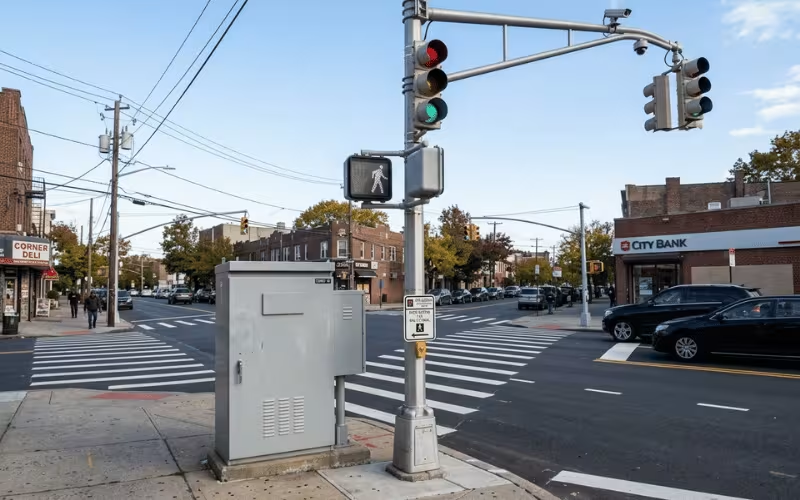
Notice the pattern. The lights get all the attention, but they don’t decide anything. Detection, control logic, and safety monitoring actually run the corner.
Why Signals Sometimes Feel Wrong
Most complaints about traffic signals sound like the light is broken or out to get you. It almost never is. Behind each frustration sits a real operational reason — a timing goal, a coordination plan, or a detection quirk.
The thread running through all four: signals do not act randomly. Timing goals, coordination choices, detection quality, and safety limits shape every one of these moments.
What Happens During Failures, Flashing Mode, or Power Loss
Sometimes you roll up to an intersection and the lights aren’t cycling at all — they’re just blinking. That’s not a glitch to ignore. It’s the signal telling you it has dropped out of normal operation, and your job at the wheel just changed.
Flashing red means treat the intersection as an all-way stop. Come to a full stop, then proceed in turn when it’s safe. Every direction facing a flashing red does the same, so nobody gets an automatic right-of-way.
Flashing yellow means slow down and proceed with caution. You don’t have to stop, but you must yield to cross-traffic and pedestrians. Usually the main road gets the flashing yellow while the side street gets the flashing red.
Why a signal drops into flash
The conflict monitor is the reason. It watches the signal’s outputs, and the moment it detects something unsafe — like green showing to two conflicting directions — it forces the whole intersection into flash mode. Flashing is the fail-safe.
Power loss triggers a similar response. When the electricity comes back, many controllers boot into flash before resuming their normal cycle. Some intersections carry battery backup to hold operation through short outages. This is one reason cities increasingly pair intersections and crossings with off-grid power — the same thinking behind solar bus shelter lighting, which keeps public spaces lit even when the grid goes down. When power is fully out and there’s no backup, the signal goes dark, and drivers treat it as an all-way stop.
One more thing worth knowing: emergency vehicle preemption. Fire trucks and ambulances can trip the signal to clear their path, briefly overriding the normal sequence.
When normal coordination breaks down, the goal shifts from moving traffic quickly to keeping it predictable and safe.
When a Traffic Signal Is the Wrong Solution
A signal can meet every installation warrant and still be the wrong call. Warrants tell you an intersection qualifies for a signal. They don’t tell you a signal is the best fix. Those are two very different questions.
I’ve reviewed intersections that checked the boxes on paper, yet the analysis pointed somewhere else entirely. Meeting the threshold is a starting point, not a verdict.
After a crash, the pressure to “just add a light”
This tension shows up hardest after a serious crash. The public wants action, and a signal feels like the obvious answer. It’s visible, concrete, and it looks like the city took the problem seriously.
But the crash data often tells a different story. A signal that cuts angle collisions can raise rear-end crashes at the same time. You may trade one problem for another instead of solving it. Sometimes the right response isn’t a light at all — it’s better sight lines, clearer lane markings, or stronger intersection and street lighting so drivers simply see the conflict sooner.
What to weigh instead
A few alternatives regularly outperform a signal at a problem intersection:
A signal is a heavy-handed intervention. It solves certain conflicts but introduces new delay and new crash types. That makes it a tool, not a default. Before you add a light, ask whether the intersection needs one — or just needs to be fixed.
FAQs
These are the questions readers ask when they want quick,clear answers. I’ll keep them compact, but not shallow.
The Takeaway
Now you can trace the whole chain. A detector senses you and sends a call. The controller weighs that call against safety rules and current demand. Then the signal head shows the result. Detection, control logic, display — that’s the path behind every red and green.
Every timing plan juggles three things: safety, efficiency, and fairness. Give one direction more green, and another waits longer. That’s the trade-off, running quietly at every corner.
So when a signal feels wrong, look closer. The cause usually traces back to a missed detection, a coordination choice, a timing goal, or a design limit. It’s rarely random.
That’s the real point. A traffic signal isn’t a black box making mysterious decisions. It’s a control system with clear goals. Once you see those goals, you can tell the difference between an intersection making a smart tradeoff and one that genuinely needs a fix.