
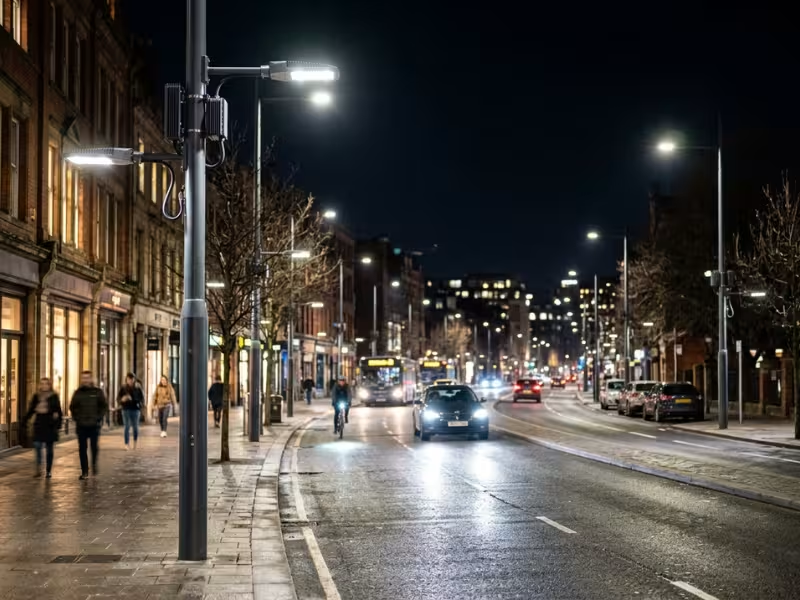
Drive through most towns at 3 a.m. and you will see the same thing. Every street light burns at full power, but the roads sit empty.
I have worked on street lighting projects for cities and facility managers. Many clients think an LED street light upgrade solves the problem. It is a good first step. But many cities still waste energy, just more efficiently.
An intelligent street light control system lets you dim, monitor, and manage each light based on real need.
In this guide, I show where smart control saves money, how the system works, and how to evaluate and pilot it before you buy.
Why Intelligent Street Lighting Still Matters After LED Upgrades
An LED retrofit can feel like the finish line. The energy bill drops, the light looks cleaner, and the old sodium lamps come down. I understand why many teams stop there.
When I review post-retrofit projects, I usually find two problems the LEDs never solved. The lights still run the same way they always did, and nobody knows when one fails.
LEDs Fixed the Lamp, Not the Schedule
An LED makes each watt work harder. It does not decide how many watts a street needs at 2 a.m.
Most retrofits I see still follow the old rule. The light switches on at dusk, runs at 100% until dawn, and then switches off. A residential street gets the same output at midnight as it does during the evening commute. A business park lights empty parking rows all night.
Here is what that looks like in numbers. A 100 W LED fixture runs about 4,000 hours a year, which comes to 400 kWh per pole. On most local roads, traffic drops sharply after 11 p.m. That means you may spend 40% or more of that energy lighting empty pavement. Across 5,000 poles, the waste adds up fast.
The LED cut your cost per hour. It did nothing about the hours you don’t need.
Failures Still Hide Until Someone Complains
The second gap is visibility. A standard LED fixture has no way to tell you it has a problem.
So most cities still find faults the old way. A resident calls, or a police officer files a note. Sometimes a crew drives the route at night and writes down dark poles. By the time a report reaches the maintenance team, a light may have sat dark for weeks.
Partial failures are even harder to catch. A driver that overheats, a fixture that flickers, or a lamp that has lost 30% of its output still looks “on” from a passing truck. These issues hurt safety and lighting quality long before anyone flags them.
This reactive model costs real money. Night patrols burn crew hours and fuel. Crews often roll out to fix a single light because they have no data on what else nearby needs attention. And with complaint-driven repairs, your residents end up doing the monitoring for you.
LEDs give you an efficient light source. Intelligent control tells each light how to behave and tells you how it is doing. Without both, you have only finished half the upgrade.
Where Smart Control Delivers the Fastest Value
Not every street earns its money back at the same speed. Before I talk about sensors or software with a client, I ask one question: where does demand drop, and how predictably does it drop? The answer tells me where to start.
Best Places to Start
These sites share a clear pattern. Light demand changes a lot during the night, and you can predict those changes. That is where dimming and monitoring pay off first.
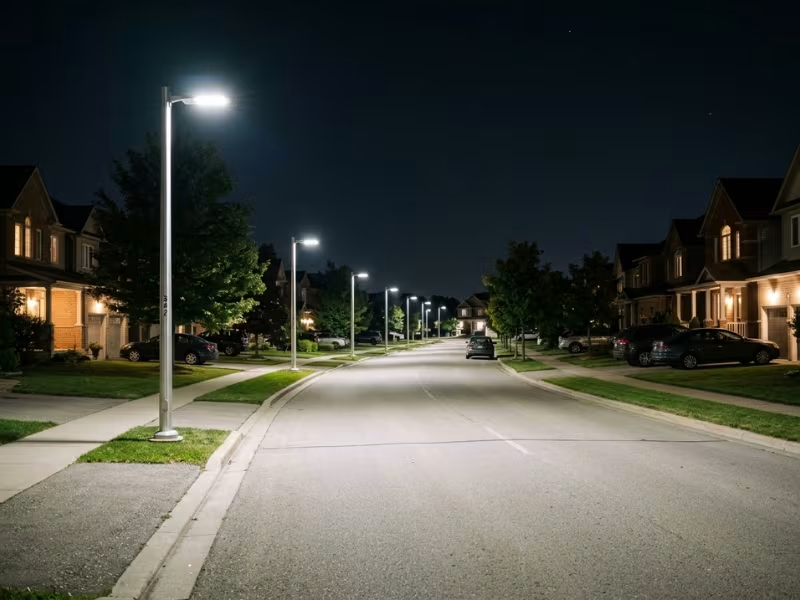
Residential streets with low late-night traffic. This is the easiest win I know. Traffic on most local streets falls sharply after 11 p.m. A simple profile can hold full output in the evening, step down to 50% around midnight, and drop to 30% in the small hours. Residents rarely notice. The energy bill does.
Campuses and industrial parks. One owner controls the whole site, so decisions move fast. Shift times and class schedules make demand easy to map. I often set lights by zone. Main entrances and security routes stay bright, while empty loading areas and back roads dim after hours.
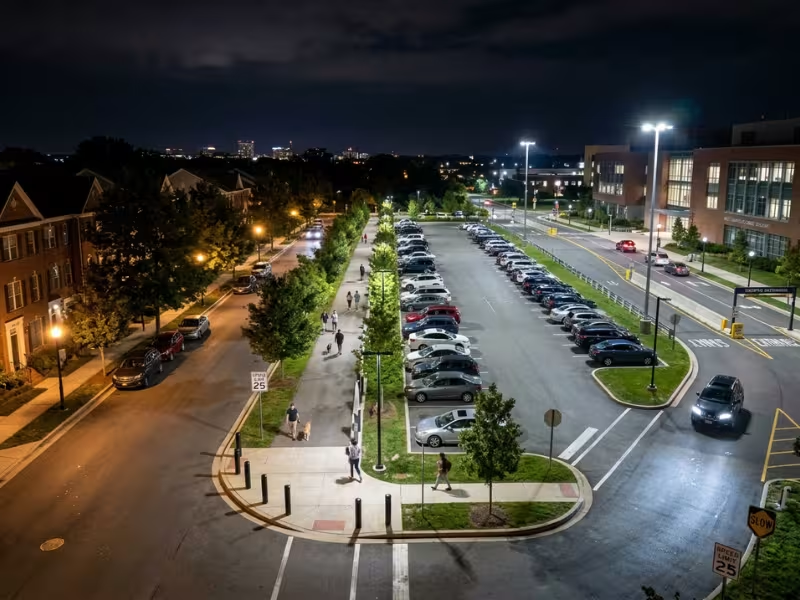
Parking lots. Lots swing from busy to empty within an hour. A retail lot might need full light until closing, then very little until morning. Occupancy-based step-up works well here. The light rises when a car or person enters a row, then settles back down.
Pedestrian zones. Plazas, park paths, and waterfront walks see heavy use in the evening and almost none before dawn. Motion-triggered boost suits these spaces well. People get bright light as they walk, and the area stays softly lit the rest of the time.
Mixed-use roads with predictable demand curves. Streets near shops, restaurants, or transit stops often follow a steady daily rhythm. Once you have a few weeks of traffic data, you can build a schedule that tracks that rhythm closely. You don’t need complex sensors to save a lot here.
Where the Payback Comes Slower
Smart control still has value in these places. But the energy savings come slower, so I set expectations early.
Constantly busy arterial roads. Some main roads carry steady traffic all night. You cannot dim much without hurting visibility. On these routes, I focus on remote monitoring first. Fast fault detection and fewer night patrols bring most of the value, not dimming.
Areas with strict full-output safety rules. Highway interchanges, rail crossings, tunnel approaches, and some emergency routes often must stay at full output. Local standards may not allow dimming at all. Here, control is about uptime and fault alerts. Don’t build your business case on energy savings you can’t legally capture.
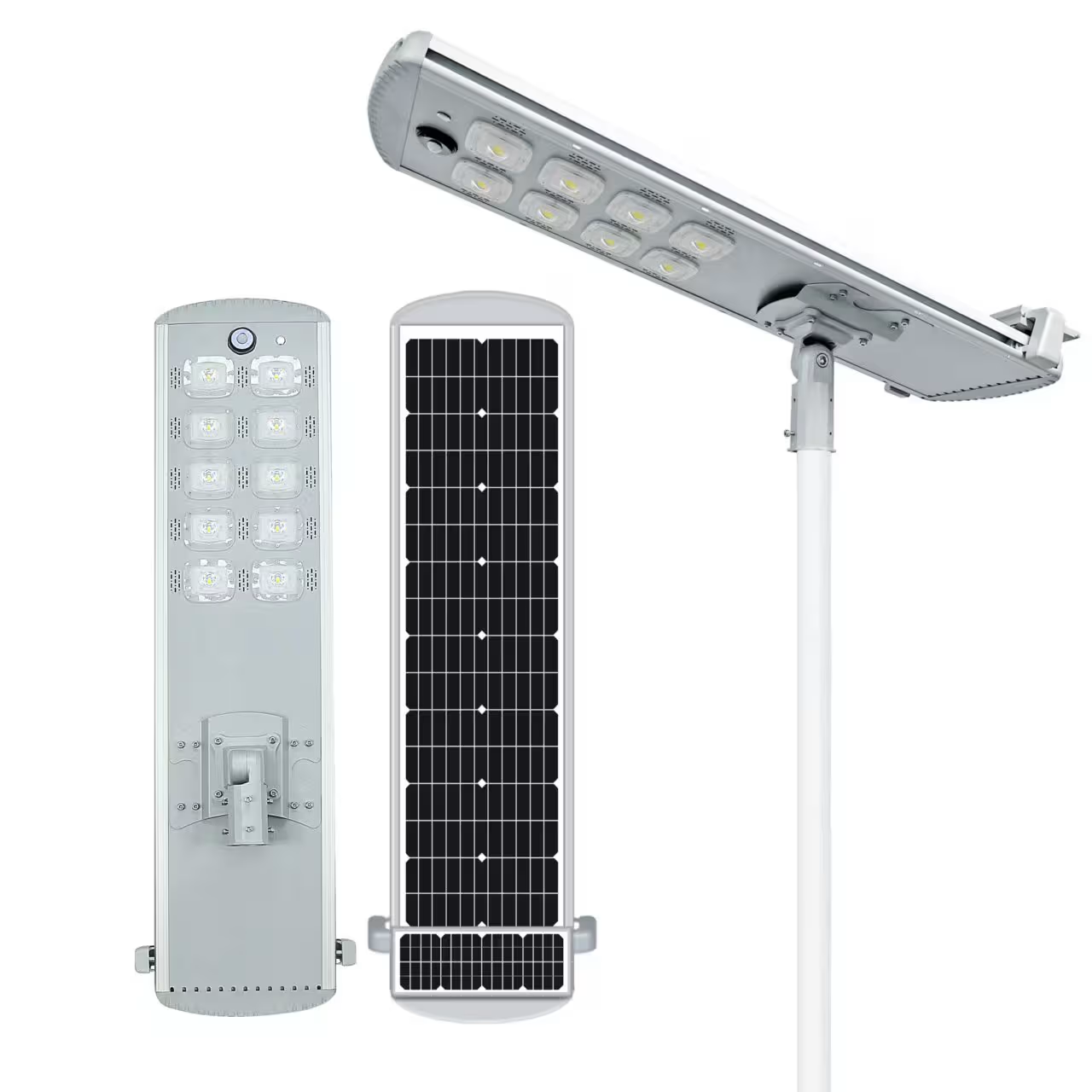
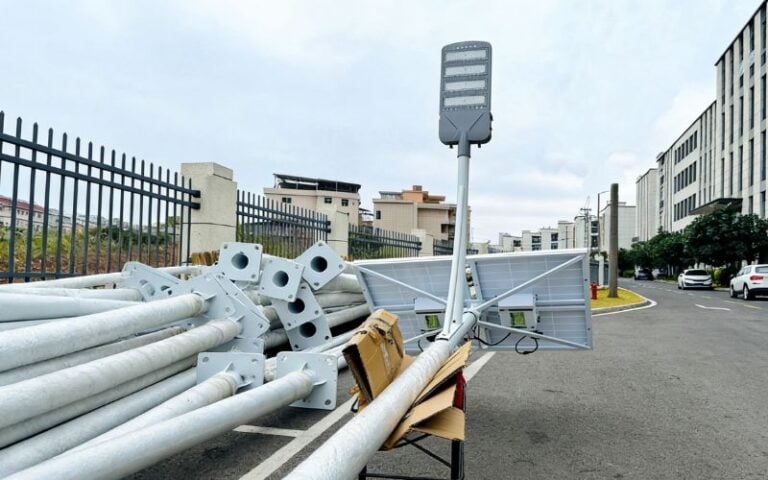
Very small projects with limited management needs. A private road with 15 poles rarely needs a full central platform. The software fees and setup time can outweigh the savings. For these sites, I usually suggest standalone dimming drivers with preset profiles, or simple photocells with built-in timers. You get most of the energy benefit without paying for a network. In some smaller off-grid or semi-rural applications, a simpler solar street light setup may make more sense than a fully networked control system.
If you are planning a citywide rollout, start with the best-fit zones. They produce clear results quickly and give you real data to support the next phase.
What a Smart Street Light Control System Actually Includes
Vendor brochures can make these systems look overwhelming. You see dashboards, sensor arrays, city maps, and long feature lists. When I break a proposal down for a client, I almost always find just four layers underneath.
Some layers are essential. Some depend on the site. And a few choices decide how much freedom you keep ten years from now. Here’s what each layer does and what I watch for.
The Controller at Each Light
Every smart system starts with a small control node on each fixture. Most nodes twist into a socket on top of the luminaire. In North America, that’s usually a 7-pin NEMA socket (ANSI C136.41). Zhaga Book 18 sockets are common in Europe. Some systems mount the controller inside the fixture instead.
This node does the real work at the pole. It:
- Switches the light on and off
- Sets the dimming level
- Measures energy use
- Detects and reports faults
- Stores the dimming schedule locally
That last point matters. A good node keeps running its schedule even when the network goes down.
This layer is required. Without it, you have no control at all.
My advice is to choose a standard socket. A crew can swap a twist-lock node in about five minutes. A controller hard-wired into a proprietary driver can tie you to one vendor for the life of the fixture.
Also confirm driver compatibility before you order. The node talks to the LED driver through 0–10V or DALI, often the D4i version. On retrofits, older drivers may not support either one.
Sensors: Useful, But Not Always Needed
Sensors give the system extra information about the street. The common ones are photocells for ambient light, motion or presence sensors, and traffic counters. Some cities also add air quality or noise sensors, but those usually serve other departments, not the lighting.
Most controllers already include a photocell. Beyond that, sensors are optional.
On many residential streets, a well-built schedule captures most of the savings. I add motion sensors where demand is truly unpredictable, such as parking lots, park paths, and pedestrian zones.
Every sensor adds hardware cost, setup time, and calibration work. Buy them where they change how the light behaves, not where they just make the spec sheet look better.
Connectivity: Where Ongoing Costs Hide
The nodes need a way to send data and receive commands. The main options are cellular (LTE-M or NB-IoT), RF mesh, LoRaWAN, and powerline communication.
Connectivity is required if you want remote monitoring or remote schedule changes. It’s also where recurring costs tend to surprise buyers.
- Cellular often carries a per-node data fee every month.
- Mesh and LoRaWAN need gateways that someone must install, power, and maintain.
I always ask one question here: who owns the network? If the vendor runs it and later leaves the market, your lights could lose their connection. Ask whether the nodes can work with another platform or network if needed.
The Central Platform: Where Your Team Works
The platform is the software your operations team uses every day. A good one shows a map of every pole, live status, energy use, fault alerts, and dimming schedules. It also produces reports for audits and budget reviews.
For any project beyond a few dozen poles, this layer is required in practice. You can buy it as a cloud subscription or as an on-premise license.
Before you sign, check three things:
- Can you export your data easily, through CSV files or an API?
- Does the platform support open standards such as TALQ?
- Who owns the data, you or the vendor?
What You Need at Minimum
A working system needs a controller at each light, a connectivity method, and a central platform. Sensors come in only where the site calls for them.
Two decisions carry the most lock-in risk: the controller and socket standard, and how open the platform is with your data. Get those right, and you can swap parts and vendors later without starting over.
Adaptive Dimming: The Simplest Lever With the Biggest Savings
When a client asks me where to start, I point to dimming. You don’t need extra sensors or new poles. You just need clear rules for when a street needs full light and when it doesn’t.
Scheduling alone often cuts energy use by 30–50% on top of an LED retrofit. The controller you already plan to install can do this on day one. That’s why dimming usually pays back faster than any other control feature.
Here’s how I set it up so the savings hold and the streets stay safe.
Build the Schedule Around How People Use the Street
A dimming profile is a set of time steps. Each step tells the light what output to hold. A profile I often start with on residential streets looks like this:
- Dusk to 11 p.m.: 100%
- 11 p.m. to midnight: 60%
- Midnight to 5 a.m.: 30%
- 5 a.m. to dawn: 70% for early commuters
Take a 100 W fixture on a 12-hour night. At full output, it uses 1,200 Wh. With this profile, it uses about 780 Wh. That’s roughly 35% less energy, and nobody has to touch the pole.
Dimming isn’t about making streets darker. It’s about matching light to real activity. A shopping street might hold 100% until 1 a.m. A business park might drop to 30% right after the last shift leaves. I build separate profiles for each zone instead of using one rule for the whole city.
Two settings add extra savings that many buyers miss:
- Astronomical clock timing. The controller calculates sunset and sunrise for its exact location. Your steps shift with the seasons, so winter nights don’t break the schedule.
- Constant light output (CLO). New LEDs are over-bright because designers plan for future lumen loss. CLO starts the driver at a lower level and raises it slowly over the years. That often saves another 10–15% early in the fixture’s life.
Let Activity Call for More Light
Some spaces stay empty most of the night but still need full light when someone shows up. Step-up logic handles this well.
The light rests at a low base level, often 20–30%. When a sensor detects a person or vehicle, it rises to full output and holds for 30 to 90 seconds. Then it fades back down.
The details decide whether people like it or hate it:
- Ramp up in one to two seconds. An instant jump feels like a security alarm.
- Fade down over 10 to 20 seconds, so the light never seems to “blink off.”
- Brighten the next two or three poles ahead, so a walker sees the path, not just the ground under their feet.
This works best on park paths, parking rows, bike lanes, and quiet cul-de-sacs. I avoid it on busy roads. Constant triggers keep the lights at full output, and you save almost nothing.
Check the Driver Before You Write the Spec
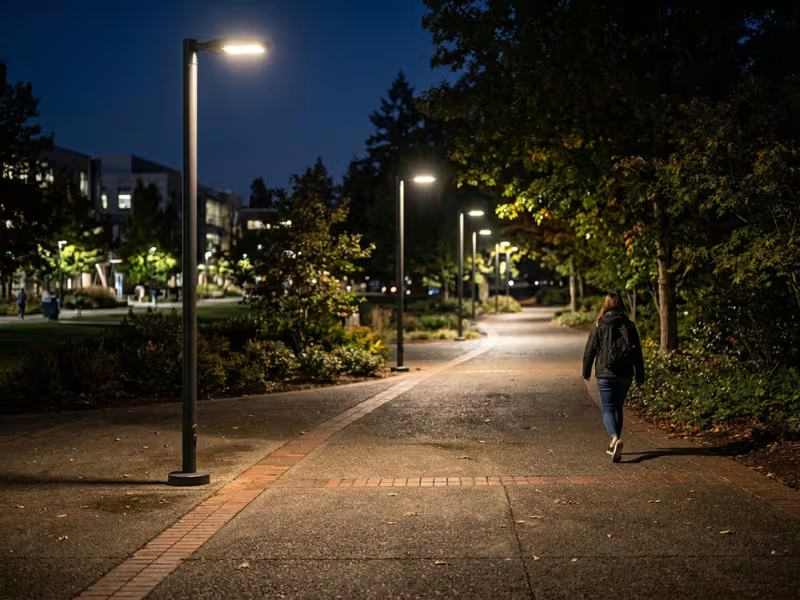
Your controller can only dim what the LED driver lets it dim. I’ve seen projects stall because nobody checked this early. Before you specify anything, know which interface each fixture uses.
0–10V is analog and simple. It uses two extra wires and shows up in many existing fixtures. It works fine for basic dimming. Check the minimum dim level, though. Some drivers won’t go below 10%, and others behave oddly near zero.
DALI, especially D4i, is digital and two-way. The driver can report energy use, operating hours, temperature, and faults back to the controller. That data feeds straight into remote monitoring. For new fixtures, D4i paired with a Zhaga socket is my default choice.
PWM switches the LED current on and off very fast. You’ll mostly find it inside drivers and solar charge controllers. Ask for the switching frequency. A low frequency can cause visible flicker and banding on security cameras.
On retrofits, collect the driver datasheet for every fixture model in the project. If older drivers don’t support dimming, budget for replacements up front.
Dim Without Losing Public Trust
Savings mean nothing if residents feel unsafe or the city faces liability. So I design every schedule against the local standard, such as IES RP-8 in North America or EN 13201 in Europe.
Both standards allow adaptive lighting. When traffic falls, you can move a road to a lower lighting class. The key is to check the lowest step against maintained illuminance levels, not the bright initial output of a new fixture.
A few rules keep schedules safe:
- Keep crosswalks, intersections, and transit stops at higher levels than mid-block sections.
- Give police and operators a manual override for events or incidents.
- Log every schedule change for liability records.
Public acceptance comes down to how you roll it out. I tell clients to notify residents before changes start. Begin gently, with 50% instead of 30%, and track complaints for a month. Then step down further where the data supports it.
In my experience, complaints rarely come from low light levels. They come from sudden, unexplained changes. Clear communication and gradual steps solve most of that before it starts.
Sensors: What They Detect, What They Miss, and Where They Help Most
Sensors sound like the “smart” part of a smart street light. In practice, I treat them as a targeted tool, not a default feature. On predictable streets, a good dimming schedule already captures most of the savings.
A sensor earns its place only when demand is too random for a schedule to follow. Here’s how I judge each type before it goes into a spec.
Motion Sensors: When PIR Is Enough and When Radar Pays Off
Most motion sensors on street lights use one of two methods. Each has a clear sweet spot.
PIR (passive infrared) detects body heat moving across its field of view. It’s cheap, uses very little power, and works well on low poles, usually under 6 m. Its weak points are real, though:
- It loses accuracy when the air temperature gets close to body temperature.
- It struggles to catch slow or head-on movement.
- Dirt, ice, or condensation on the lens can blind it.
Radar (often 24 GHz or 60 GHz millimeter wave) reads reflected radio signals. It sees through fog, rain, and darkness. It covers longer distances from higher poles, and it can tell speed and direction. That lets it separate a cyclist from a car. It usually costs two to three times more than PIR and needs careful tuning.
I use PIR for park paths, parking rows, and short pedestrian routes. I choose radar for bike lanes, higher mounting heights, and harsh climates.
Before adding either one, I run a simple test. If a space sits empty for most of the night and people arrive at random times, motion sensing pays. If someone passes every few minutes, the light never gets a chance to rest. In that case, a schedule does the same job for less money.
Traffic-Responsive Control on Main Roads
Main roads need a different approach. You don’t want lights reacting to every single car.
Traffic-responsive systems count vehicles over a set window, often 15 minutes. When volume drops below a set threshold, the platform moves a whole road segment to a lower lighting class. Under EN 13201, for example, a road might step from M3 to M4. One radar or camera counter can cover a segment of 20 to 40 poles.
This works well where traffic tails off unpredictably. Good examples include roads near stadiums, event venues, ports, and seasonal tourist routes.
On most arterials, though, traffic follows almost the same curve every night. Collect a few weeks of count data and build a schedule from it. You’ll capture nearly the same savings without buying or maintaining counters.
Photocells vs. Timers for Dusk-to-Dawn Switching
Every system needs a reliable way to switch on and off. The two main options each have their own weaknesses.
A photocell responds to real light levels. It turns lights on early during heavy storms or dark overcast days. But photocells drift as they age. Dirt, snow, or a nearby floodlight can also fool them.
A timer with an astronomical clock calculates sunset and sunrise for each pole’s location. It never gets dirty, but it can’t see a midday thunderstorm.
My preference is to use both. Most modern NEMA and Zhaga controllers include a photocell and an astronomical clock. I set the clock as the main rule and let the photocell override it on unusually dark days. I also set remote monitoring to flag “day-burners,” which are lights stuck on in daylight. One faulty photocell can waste 10 to 12 hours of energy every day.
Cats, Leaves, and Wind: Keeping False Triggers Under Control
False triggers quietly erase sensor savings. They also annoy residents when lights flare up for no reason.
The usual culprits are animals, swaying branches, blowing leaves or snow, and heavy rain on radar.
Modern sensors handle this much better than older models. Here’s what I look for:
- Size and speed filters that ignore small, slow, or erratic objects
- Dual-technology sensors that need both PIR and radar to agree
- Masking zones that block out trees, hedges, or busy side roads
- Multiple-hit logic that needs two or three detections before the light steps up
During commissioning, I log every trigger for two weeks. Then I compare that log with real activity on site. If more than about 15% of triggers are false, I adjust the aim, sensitivity, or masking before I sign off.
My rule stays simple. Build the schedule first, then add sensors only where the schedule can’t predict what people will do.
Remote Monitoring: Where Operations Teams See the Real Difference
Dimming cuts the energy bill. Remote monitoring changes how your crews work every day. When I visit a city six months after go-live, the maintenance team rarely talks about savings first. They talk about the night patrols they stopped running.
A platform only earns its fee if it helps people fix faults faster, prove results, and adjust strategy. A dashboard that just looks good does none of that. Here’s what I check for.
What Your Team Should See on Day One
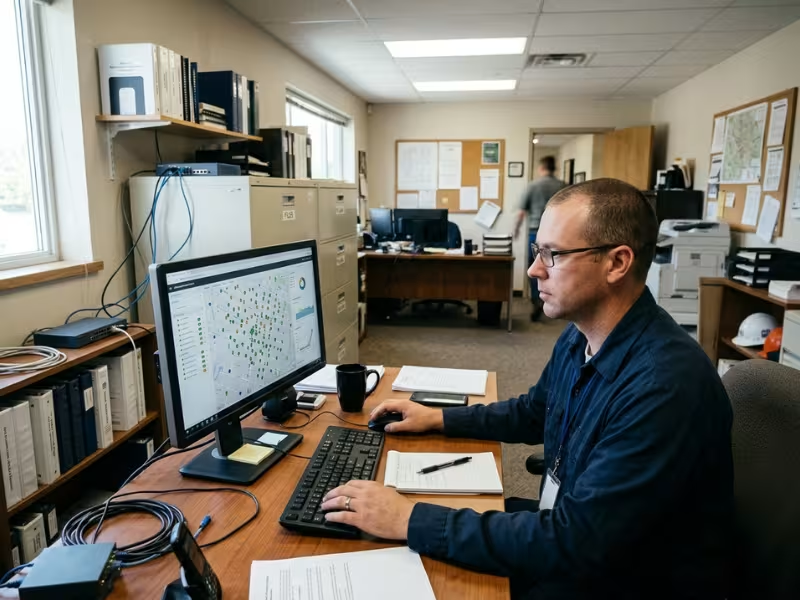
A good platform answers four questions within seconds of logging in:
- Which lights are working right now? Each pole should show on a map as on, off, dimmed, or faulty.
- How much energy is each light using? You want metered data from the controller, not estimates based on wattage.
- What went wrong, and where? Alerts should name the pole, the fault type, and the time it started.
- What did each light actually do last night? Dimming history lets you confirm the schedule ran as planned.
That last point matters more than buyers expect. I once found a zone of 300 lights running at 100% all night for two months. A firmware update had reset the profile. Nobody noticed because the lights looked fine. The dimming history showed it in about ten seconds.
Catch Failures Before the Street Goes Dark
Basic alerts tell you a light has failed. Better platforms warn you before it fails. This works because the controller, especially with a D4i driver, reports more than on and off.
Watch for these early warning signs:
- Power draw rising at the same dim level. This often points to a driver that is starting to fail.
- High driver temperature. Heat shortens driver life fast, and it often means a blocked heat sink or water inside the fixture.
- Cycling or flickering events. Repeated restarts usually come before a complete failure.
- Day-burning. A light that stays on in daylight usually has a stuck relay or faulty photocell.
- Voltage swings. A group of poles that all show unstable voltage usually means a supply or cable problem, not a fixture problem.
This changes how crews work. Instead of one truck roll per complaint, a supervisor can pull a weekly list, sort it by area, and send one crew to fix eight issues on one route. On one project I advised, this kind of routing cut repair visits by about a third in the first year.
Set alert rules with care, though. If every small voltage dip sends a message, your team will start ignoring alerts within a month.
Turn Raw Data Into Reports People Trust
Monitoring also shows that the project is doing what you promised. Finance teams, auditors, and grant agencies all want proof.
Make sure the platform can:
- Export data easily, through CSV files or an API, without asking the vendor
- Keep an audit trail that records who changed a schedule, when, and why
- Compare energy use to a baseline, by zone, month, or fixture type
- Track fault response times, from alert to repair
Metered energy data carries real weight. Some utilities will bill on measured use instead of fixed tariffs. That alone can make the business case stronger. Energy performance contracts also depend on verified savings, so weak reporting can delay payments.
Connect It to the Systems You Already Use
A lighting platform should not become one more silo. Your city or facility likely runs GIS mapping, a work order system, and an asset register already.
The integrations that make the most difference are practical ones:
- GIS sync keeps pole locations, fixture models, and install dates in one place.
- Work order links let a fault alert open a ticket in your maintenance system on its own.
- Asset records track warranty dates, driver models, and repair history for each pole.
- City dashboards can pull lighting data next to traffic or other city services, but treat this as a bonus rather than the core goal.
Ask vendors to show a live integration with a system like yours, not just a slide that says “API available.” Also check whether the platform supports open standards such as TALQ. That helps your data stay usable if you change vendors later.
All of this depends on a reliable link between the poles and the platform, so the network choice deserves careful thought.
Connectivity Choices: What Matters More Than the Protocol Name
Vendor proposals often open with a list of protocol names: LTE-M, NB-IoT, Zigbee, LoRaWAN. Those names matter less than the questions behind them.
On every project, I ask three things:
- Who pays for the network every month?
- Who fixes it when it breaks?
- What happens if the vendor leaves the market?
Each option answers those questions differently.
Cellular: Fast to Deploy, Billed Every Month
Cellular nodes, usually LTE-M or NB-IoT, connect directly to a mobile carrier’s network. You don’t need gateways or radio planning. A crew installs the node, it checks in, and the light is online.
This makes cellular a strong fit for scattered poles, such as a rural road, a few streets across a small town, or sites miles apart.
The trade-off is the bill. Each node carries its own data plan, often $1 to $3 per month. Across 5,000 poles over 15 years, those fees can approach or pass $1 million. I also ask clients to check signal strength at pole height, not at street level. Ask the vendor what happens when the carrier retires its network, as many carriers did with 2G and 3G.
Mesh and LoRaWAN: Lower Fees, More Responsibility
These options avoid per-node fees because they run on a network that you or the vendor builds. That shifts the work onto someone’s shoulders.
RF mesh lets each node pass messages to its neighbors until they reach a gateway. It performs best where poles sit close together, such as downtown grids and campuses. If one node fails, messages find another path. But a long stretch without poles can break the chain.
LoRaWAN uses one gateway to cover several kilometers. It sends small amounts of data with very little power, so it suits large areas that only need status reports and schedule updates. The limit is bandwidth. Firmware updates move slowly, and commands may take seconds or minutes to arrive. That’s fine for dimming schedules, but not for instant response.
Both options need gateways that someone must install, power, protect, and maintain. Budget for the hardware, mounting, backhaul connection, and service visits. Put in writing who owns the gateways and who fixes one that fails at 2 a.m.
Powerline Communication: Uses the Wires You Already Have
Powerline communication sends data over the existing power cables. You don’t need radios or SIM cards. That makes it attractive for retrofits where poles share clean circuits fed from one cabinet.
The weakness is the grid itself. Electrical noise, long or aging cables, and transformers can weaken or block the signal. Older networks with mixed circuits often give unreliable results. I only recommend powerline after a signal test on the actual circuits.
Match the Network to the Project
Once you know the trade-offs, the choice usually follows the project type:
- Small town or scattered poles: Cellular. Setup is quick, and nobody has to manage gateways.
- Campus or industrial park: Mesh or a private LoRaWAN network. One owner controls a compact site and avoids monthly per-node fees.
- Citywide retrofit: Mesh or LoRaWAN for the dense core, with cellular nodes filling gaps in outlying areas.
One warning applies to all of them. A proprietary network can tie every node to one vendor’s platform. Before you sign, ask:
- Can these nodes work with a third-party platform?
- Do they support open standards such as TALQ?
- Can we move them to another network if the vendor exits?
The network should serve your lights for 15 years, not hold them hostage.
What the Business Case Really Looks Like
Most vendor proposals show one number: energy savings. That number is real, but it is only part of the picture. A business case that holds up under review covers the full ledger, including what you save, what you spend, and what you keep paying for years.
Where the Savings Actually Come From
Energy reduction is the easiest saving to measure. Scheduled dimming usually cuts LED energy use by 30–50%. But first check how your utility bills street lighting. Many utilities charge a flat tariff per fixture. In that case, dimming saves nothing on paper until you switch to metered billing. Ask about this before you build your model.
Fewer night patrols come next. Many cities send a two-person crew out a few nights a month to spot dark poles. Remote monitoring removes most of that work. That frees up wages, overtime, and fuel.
Faster fault detection changes how crews spend their time. Instead of one truck roll per complaint, supervisors batch repairs by route. On projects I’ve advised, repair visits dropped by about a third in the first year.
Better asset utilization is harder to price, but it matters. Metered data shows which fixtures run hot, which drivers fail early, and which warranty claims you can file. You stop replacing parts on a fixed cycle and start replacing them based on real condition.
The Costs That Don’t Show Up on the Quote
The hardware price is usually clear. The costs that hurt budgets later are the ones nobody highlights.
- Software licenses. Many platforms charge per node per year. A $3 fee looks small until you multiply it by 5,000 poles over 15 years.
- Connectivity fees. Cellular plans often cost $1–3 per node each month. Mesh and LoRaWAN avoid that fee but need gateways that someone must buy, install, and maintain.
- Commissioning. Someone has to pair each node, assign it to a zone, and load its profile. Then they need to verify that it works. Budget real labor hours for this step.
- Training. Operators need time to learn the platform. Without it, the system turns into an expensive on/off switch.
- Integration work. Linking the platform to GIS or a work order system often requires paid vendor or IT hours.
Ask every vendor to quote these line items in writing over the full contract term.
A Simple ROI Model You Can Adapt
Here’s a realistic example for 2,000 LED poles at 100 W. Each pole runs 4,000 hours a year, and power costs $0.15/kWh on metered billing.
Annual savings
|
Item |
Estimate |
|---|---|
|
Energy (35% of 800,000 kWh) |
$42,000 |
|
Night patrols eliminated |
$20,000 |
|
Fewer repair visits (200 × $150) |
$30,000 |
|
Total |
$92,000 |
Upfront costs
|
Item |
Estimate |
|---|---|
|
Controllers, installed (2,000 × $120) |
$240,000 |
|
Gateways and commissioning |
$30,000 |
|
Integration and training |
$20,000 |
|
Total |
$290,000 |
Ongoing costs on a mesh network: about $10,000 a year for software and gateway upkeep.
- Net annual benefit: $92,000 − $10,000 = $82,000
- Simple payback: $290,000 ÷ $82,000 ≈ 3.5 years
Now change one assumption. Put the same project on cellular at $2 per node per month. That adds $48,000 a year in fees. Net benefit falls to $34,000, and payback stretches past 8 years.
The hardware didn’t change. Only the recurring fee did. That’s why I always run at least three scenarios before a client commits: a conservative case, an expected case, and a case with the worst-priced connectivity option.
To adapt this model, replace my numbers with your own. Use your pole count, actual wattage, tariff, current patrol costs, and repair history. If you can’t find your repair and patrol costs, start there. Those figures often decide whether a project pays back in four years or ten.
Common Procurement Mistakes to Avoid
Most smart lighting projects that disappoint don’t fail because of the technology. They fail at the purchase order. I see the same five mistakes in tender documents and pilot reviews, and each one keeps costing money long after the contract is signed.
1. Buying a Platform Before Defining the Use Case
I once reviewed a tender that listed 40 platform features but never said what problem the city wanted to solve. The winning bid had a polished dashboard. Two years later, the team used it only to switch lights on and off.
Start with outcomes instead. Do you want to cut energy, stop night patrols, or speed up repairs? Write down two or three goals with numbers attached. Then judge every platform against those goals, not against a feature list.
2. Over-Specifying Sensors Where Scheduled Dimming Is Enough
Motion sensors look impressive in a spec, so buyers add them everywhere. I’ve seen a residential project put radar sensors on 1,200 poles along streets where traffic followed the same curve every night.
The sensors added about $90 per pole, plus calibration visits. They saved almost nothing beyond what a schedule already delivered. Build the schedule first. Add sensors only where people show up at random times, such as park paths, parking rows, and quiet bike lanes.
3. Ignoring Interoperability and Future Replacement Risk
A street light can last 20 years. A controller vendor may not. I worked with a city whose platform provider shut down its service. It left 3,000 nodes that no other system could read, and the city paid to replace every one.
Before you sign, confirm standard NEMA or Zhaga sockets, D4i or 0–10V driver support, and TALQ or an open API. Ask the vendor to show its nodes running on a third-party platform. A promise in a slide deck isn’t enough.
4. Underestimating Software and Connectivity Costs
Buyers often compare hardware quotes line by line, then skim past the recurring fees. That’s where budgets break.
A $2 monthly cellular plan and a $3 yearly license seem trivial for one pole. Across 5,000 poles and 15 years, they can cost more than the controllers themselves.
Ask every vendor for a full-term cost table. It should cover licenses, data plans, gateway upkeep, and annual price increases. Then compare total cost of ownership, not unit price.
5. Running a Pilot Without Clear Success Metrics
Many pilots end with a vague verdict: “It worked fine.” That tells a city council nothing. I reviewed one 80-light pilot that ran for six months, but nobody recorded baseline energy use before installation. The team couldn’t prove any savings, and the rollout stalled for a year.
Before the first node goes up, define what success means. Set targets for energy reduction, alert accuracy, false trigger rate, and resident complaints. Then measure against a real baseline.
These five mistakes share one root cause. Each happens when buyers choose features before they define needs, costs, and proof. Put those decisions in the right order, and most of these problems never reach your streets.
How to Run a Pilot and Know Whether It Worked
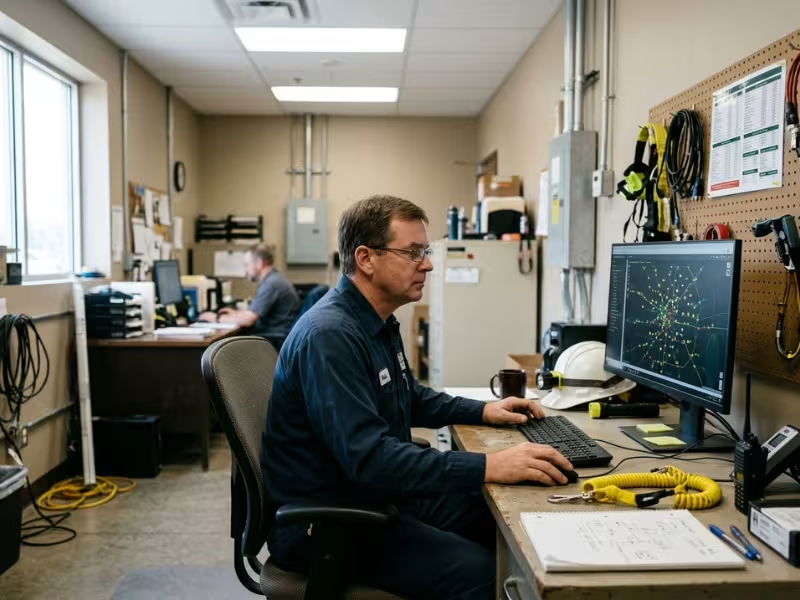
A pilot should answer one question: will this system deliver what you need on your streets, with your team? Too many pilots only prove that the lights turn on. Here’s how I set one up so the results support a real decision.
Keep the Scope Small but Realistic
I usually recommend 50 to 100 lights. That’s enough to show patterns, and small enough to fix problems quickly.
Pick a zone that looks like your future rollout. A good mix includes:
- A residential street
- A stretch with a crosswalk or bus stop
- A parking area or path, if you plan to use sensors
Avoid the easiest block in town. A pilot that only works in perfect conditions tells you very little.
Run the pilot for at least three months. If you can, include a change of season, because dusk times, weather, and traffic all shift.
Before any controller goes up, collect 30 days of baseline data:
- Energy use, metered or estimated from wattage and burn hours
- Dark-pole reports and repair times
- Night patrol hours
- Resident lighting complaints
Without a baseline, you can’t prove any result.
Write the Targets Down Before You Start
“It worked fine” isn’t a target. Agree on numbers with operations, finance, and the vendor, and put them in the pilot agreement.
|
Metric |
Example Target |
|---|---|
|
Energy reduction vs. baseline |
30% or more |
|
Schedule compliance |
98% of nights run as configured |
|
False trigger rate |
Under 15% of activations |
|
Alert accuracy |
90% of alerts match a real issue |
|
Fault response time |
50% faster than baseline |
|
Resident complaints |
No increase over baseline |
Adjust these to fit your goals. Just set them before the data comes in, so nobody bends the targets to match the results.
Test What the Energy Number Won’t Show
Energy savings make the headline. These other results decide whether the system will still work for your team ten years from now.
Dimming performance. Compare the dimming history with the schedule you loaded. Check a few poles at night with a light meter. Look for poles that jumped back to 100% after a power cut or firmware update.
False triggers. Log every sensor activation for two weeks. Compare the log with site checks or camera footage. Wind, animals, and side-road traffic show up quickly.
Alert accuracy. Send a crew to verify every alert in the first month. Record which alerts were real, which were false, and which faults the platform missed. Missed faults matter more than false alarms.
Operator usability. Give two or three staff members real tasks. Ask them to change a zone schedule, find last week’s faults, and export an energy report. Time each task. If they need vendor help every time, the platform will sit unused after rollout.
Maintenance workflow. Track crew visits, batched repairs, and time from alert to fix. Then compare those numbers with your baseline.
Resident response. Notify residents before the pilot starts and give them one clear contact point. Log every call and note the cause, such as darkness, sudden changes, or glare.
At the end, score the pilot against each target in a short report. If most targets pass, you have solid evidence to expand. If some fail, you know exactly what to fix in the spec before you buy thousands more nodes.
How to Choose a System Without Getting Locked In
Most buyers spend weeks comparing dashboards and dimming features. Few spend an hour on the contract terms that decide who controls the system in year eight. In my view, this is the most important procurement decision you will make, and the one teams most often skip.
Your poles will likely stand for 20 years or more. Your controllers, network, and software vendor may not last that long. The goal is simple: you should be able to replace any one layer without ripping out the others.
Insist on Open Interfaces at the Pole
Lock-in usually starts at the fixture. If the controller only works with one brand of driver or socket, every future repair runs through that vendor.
These are the standards I write into every spec:
- NEMA 7-pin (ANSI C136.41) or Zhaga Book 18 sockets. Any compliant node can twist into the fixture in minutes.
- D4i or 0–10V drivers. The controller can dim and read data from the driver without proprietary wiring.
- TALQ certification. The platform and nodes follow a shared language, so a third-party system can manage them later.
- A documented, open API. Your IT team or a future vendor can pull data and send commands without asking permission.
If a vendor says “our system is open,” ask which of these it supports. Then ask for proof.
Make Sure You Own Your Data
The second trap sits in the software. Your platform stores years of energy records, fault history, and asset details. That data has real value for audits, warranty claims, and future planning.
Read the contract for three things:
- It should state that the data belongs to you.
- You should be able to export everything as CSV or through an API at any time, at no extra cost.
- The vendor must hand over a full export if the contract ends.
I have seen cities lose five years of maintenance history because the exit terms were vague. Rebuilding an asset register by hand costs far more than negotiating one clause up front.
Check Support, Warranty, and the Upgrade Path
Hardware warranties look similar on paper. The differences show up later.
Ask how long the vendor will release firmware updates for the node you are buying. Security patches matter, and a controller that stops getting updates after three years becomes a liability. Ask whether new firmware can be pushed over the air, or whether crews must visit each pole.
Look at replacement terms too. A 10-year warranty means little if the model goes out of production in year four and the replacement needs a new platform license.
Finally, judge vendor stability. How long has the company sold street lighting controls? How many nodes does it have in the field? Is there a source code escrow or a transition plan if it exits the market?
Questions I Ask Before Anyone Signs
Bring this list to your final vendor meetings. Get the answers in writing.
- Which socket, driver, and communication standards do your nodes support?
- Can you show your nodes running on a third-party platform today?
- Who owns the data, and how do we export all of it?
- What happens to our system and data if you are acquired or shut down?
- How many years of firmware and security updates do you guarantee?
- Are firmware updates delivered remotely?
- What will replacement nodes cost in years five and ten?
- Are license and connectivity prices capped for the full contract term?
- Who owns and maintains the gateways?
- Can we terminate the platform contract and keep using the installed nodes?
A vendor with a solid product will answer these quickly. If you get vague replies or slide decks instead of documents, treat that as your answer. Freedom to switch is what protects your investment over the life of the poles.
FAQs
These are the questions I hear most often from city engineers and procurement teams. Each answer starts with the short version, then covers the details that matter on real projects.
How much energy can smart street lighting save compared to standard LED street lights?
Most projects save another 30–50% on top of the LED retrofit.
Scheduled dimming delivers most of that. Constant light output can add 10–15% in the early years of a fixture’s life. Motion-based step-up adds more on quiet paths and in parking areas, but very little on busy roads.
Check your utility tariff first. If it bills street lights at a flat rate per fixture, you won’t see those savings on the bill until you move to metered billing.
Can a control system work with existing LED fixtures?
Usually yes, but the driver decides how easy it is.
If your fixtures have a NEMA 7-pin or Zhaga socket and a 0–10V or DALI driver, a crew can add a controller in minutes. If they have a basic 3-pin photocell socket or a non-dimmable driver, you’ll need a socket upgrade or a new driver.
Before you budget, collect the driver datasheet for every fixture model. On older retrofits, I often find two or three different driver types on the same street.
Which is better for a small town: LoRaWAN, mesh, or cellular?
For most small towns, cellular is the simplest choice.
It needs no gateways and no radio planning. For a few hundred scattered poles, the monthly fees stay manageable, often $1–3 per node.
Mesh makes sense when poles sit close together and you plan to grow past a few thousand lights. LoRaWAN works well if the town already runs a LoRaWAN network for water meters or parking. Whatever you choose, test the signal at pole height before you sign.
Do motion-based street lights become annoying or visually inconsistent?
They can, but only when the setup is poor.
Complaints usually come from three problems: instant on-off jumps, lights snapping dark behind people, and false triggers from trees or animals. Good tuning fixes all three:
- Ramp up over one to two seconds.
- Fade down over 10 to 20 seconds.
- Brighten two or three poles ahead of the walker.
- Mask out branches and side roads during commissioning.
Also keep the base level at 20–30%, not zero. A street that never goes fully dark feels calm, even when the lights respond to movement.
What happens if the network goes down?
With a well-built system, the lights keep running normally.
Each controller stores its dimming schedule and astronomical clock locally. During an outage, it follows that schedule and logs data until the connection returns. You lose remote visibility and control for that period, not the lighting itself.
Ask vendors to confirm the default behavior in writing. The safest fail-safe is full output, or the last saved schedule, if the controller loses both its network and its clock.
Are street light sensors a privacy concern?
Standard lighting sensors pose very little privacy risk.
PIR and radar sensors detect movement, speed, and size. They don’t capture faces, voices, or license plates. Photocells only measure light levels.
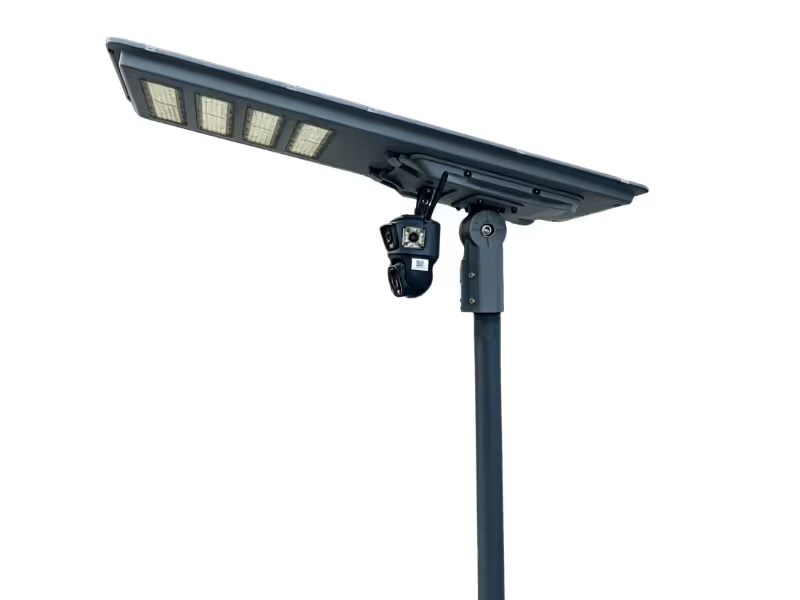
Cameras are a different matter. If your project adds video, license plate readers, or Wi-Fi tracking, treat it as a separate surveillance decision with its own legal review and public consultation. The same applies if you choose an integrated solar street light with camera. Plan it as a surveillance and data-governance decision, not just a lighting upgrade.
For any system, ask the vendor three questions. What data does it collect? Where does it store that data, and for how long? Who can access it? Publish the answers before rollout. Clear disclosure prevents most public concerns from turning into opposition.
Conclusion
Intelligent control pays off in layers. Scheduled dimming usually delivers the fastest savings, often 30–50% on top of an LED retrofit. Remote monitoring changes how your crews work, with fewer night patrols and faster, batched repairs. Sensors add value too, but only where people show up at random times.
Not every project needs every layer. A small private road may only need preset dimming drivers. A citywide network needs monitoring, open standards, and a platform your team will actually use. On many streets, a simple schedule captures most of the savings.
So start with what you already have. Pull your current runtime data and check one thing: do your lights run at full output all night? Then pick one pilot zone with low late-night traffic and a realistic mix of streets. Write down your targets for energy, alert accuracy, and resident complaints before you talk to vendors.
This week, ask your team for last year’s lighting energy bills and repair records. That baseline will shape every decision that follows.